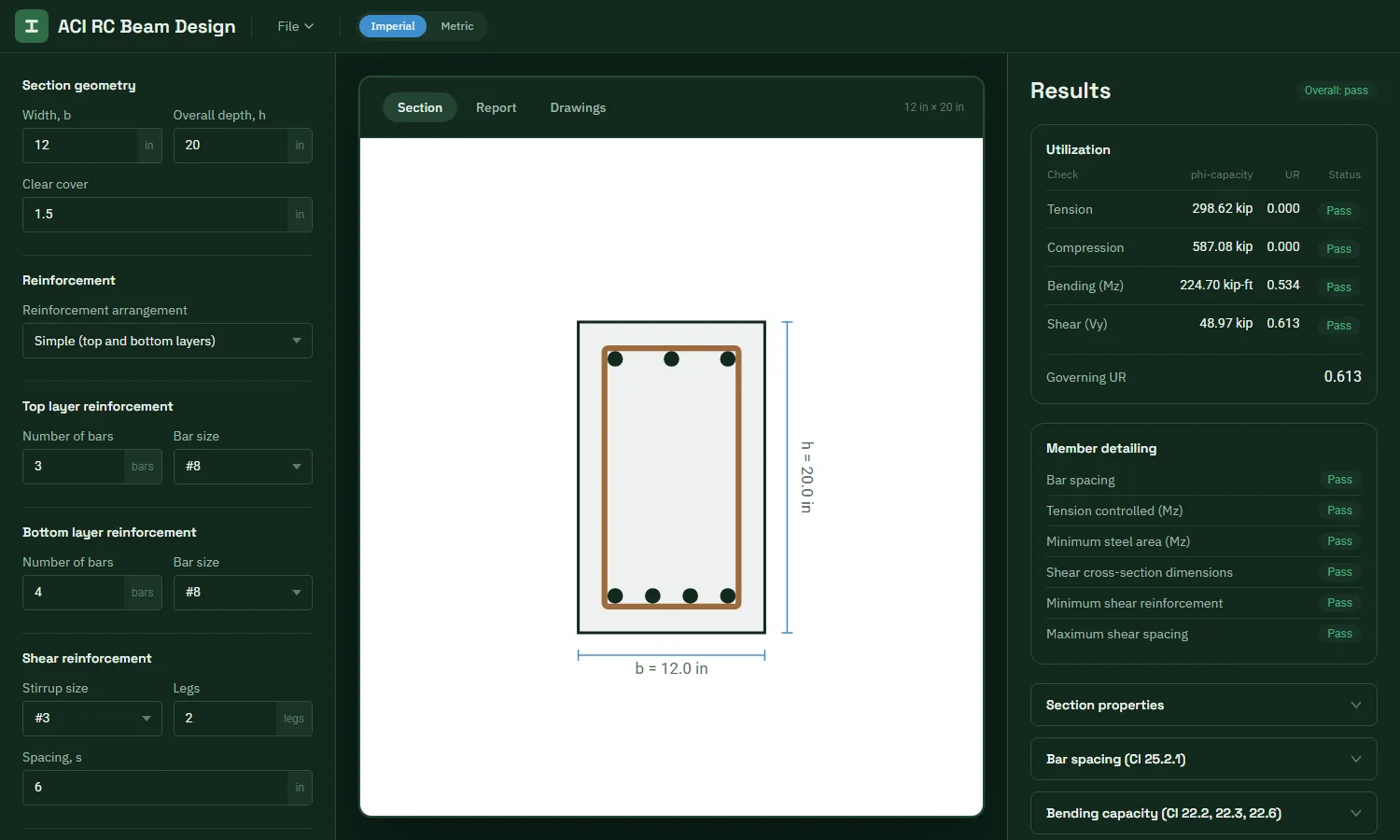
Strength checks with utilization
Bending, shear, axial tension and axial compression, each with its phi capacity, utilization ratio and pass or fail status.
 TekStructa
ACI 318-19 · Beams
Design and check rectangular reinforced concrete beams for bending, shear and axial load to ACI 318-19. See every check with its utilization ratio, place bars freely, and download drawings and a calculation report.
Features
Bending, shear, axial tension and axial compression, each with its phi capacity, utilization ratio and pass or fail status.
Bar spacing, tension-controlled section, minimum flexural steel, shear section dimensions, minimum shear reinforcement and maximum stirrup spacing.
Use top and bottom layers, or place individual bars anywhere in the section on an interactive canvas.
Factored Mu, Vu and Pu. Combined axial and bending design applies when Pu reaches 0.10 f'c Ag (Cl 9.5.2.1).
Cross-section and elevation drawings, downloadable as DXF for your CAD software or as PDF.
Detailed PDF design report, models you can save and reopen, and imperial or metric units.
Method
Get started
Enter the beam width, depth and clear cover.
Add the top and bottom bars, or open the custom canvas and place bars anywhere.
Enter the stirrups, material strengths and the factored Mu, Vu and Pu.
Review the utilization and detailing checks, then download the report and drawings.
FAQ
Bending, shear, axial tension and compression, bar spacing, tension-controlled section, minimum flexural steel, shear section dimensions, minimum shear reinforcement and maximum stirrup spacing, all to ACI 318-19.
Yes. Besides the simple top and bottom layers, the custom canvas lets you place individual bars of any size anywhere in the section, and every check uses their actual positions.
Yes. The Drawings tab produces a cross-section and elevation that you can download as a DXF file for AutoCAD and other CAD programs, or as a PDF.
Not yet. The app designs rectangular sections.
Yes. The app is free to use in your browser while TekStructa is in beta. There is nothing to install.
More apps
Free PM Interaction Diagram Calculator
📏Free Beam Calculator: Reactions, Shear, Moment and Deflection
For use by qualified engineers. All results must be checked independently before use in any design. See the Terms of Use.